Downloading debug information in Vonage Premier for Service Cloud Voice
If necessary, you can download debug information.
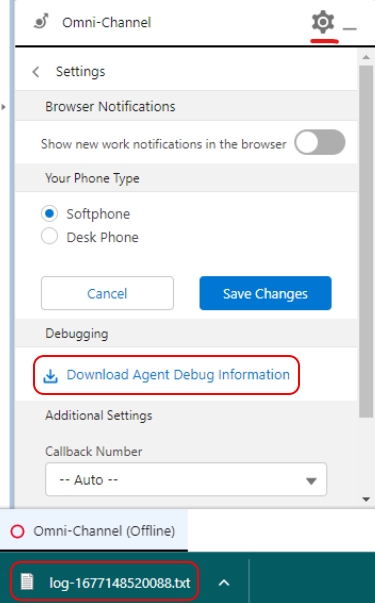
In the Settings panel of the Omni-channel widget or utility, click Download Agent Debug Information. This will download a text (.txt) file containing all the logs for the current session.
Support and documentation feedback
For general assistance, please contact Customer Support.
For help using this documentation, please send an email to docs_feedback@vonage.com. We're happy to hear from you. Your contribution helps everyone at Vonage! Please include the name of the page in your email.