
Managing your ContactPad password
- Helen Griffith
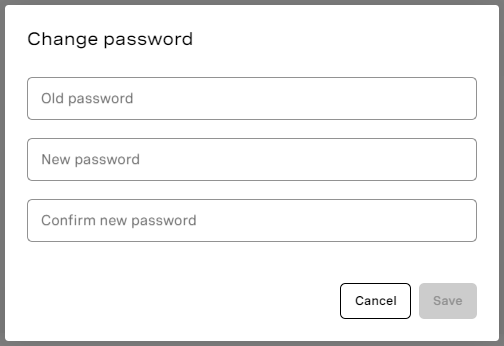
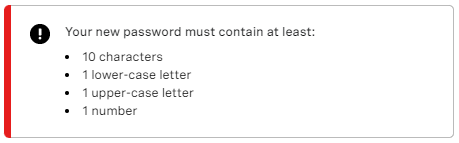
When you are logged in to Vonage Contact Center, either through the admin portal or ContactPad, you can change your password. If you are logged in only to ContactPad, you must open the admin portal. To change your password, perform the following steps: Type your current password and then your new password in both the New password and Confirm new password fields. Confirm your password and click Save. New password requirements You new password must meet the password complexity requirements for your account. If your new password does not meet the rules or if your new and confirmed passwords do not match, an error will appear and your password is not changed. If your user account is linked to multiple VCC accounts, your password must meet the most restrictive password complexity requirements of your linked accounts. For information about password complexity requirements, see Configuring password policy. Single sign-on Your account may be configured to use single sign-on. If you have never had a VCC password, or if single sign-in is enforced — now or later — you can log in only using the configured provider. You won't be able to log in using your VCC password. For information about configuring single sign-on, see Configuring single sign-on.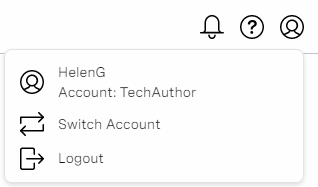
For general assistance, please contact Customer Support.
For help using this documentation, please send an email to docs_feedback@vonage.com. We're happy to hear from you. Your contribution helps everyone at Vonage! Please include the name of the page in your email.